How to Enable the Veracross Integration
Connect your Veracross alumni database to Studiously and launch your alumni engagement platform.
Overview
Studiously turns your Veracross alumni database into an active connection platform. We pull alumni records (name, email, graduation year, and location) and let schools enhance profiles with company, role, college, and LinkedIn data through our enrichment tools. Updated data can be exported as a CSV for re-import into Veracross.
Schools can open the platform to alumni reconnecting with classmates or to students seeking mentorship and career guidance. All outreach routes through a school-branded sender. Recipients reply directly from their inbox with no account required and no contact info shared.
Alumni records
Enrich & connect
Back to Veracross
What data is imported?
From Veracross (via Development Constituents API)
- Full name
- Email address
- Graduation year
- City and state (location)
- Person roles (used to filter for alumni)
- Deceased flag (used to exclude inactive records)
Enhanced by Studiously
After import, schools can enhance alumni profiles through our enrichment tools or by supplementing with a CSV export from Axiom:
- Company and job title
- College attended
- LinkedIn URL
- Industry, seniority, and company type classifications
- Location tags for filtering
- Bio and summary
Required API Scopes
| Scope | Purpose | Status |
|---|---|---|
development.constituents:list |
Pull alumni name, email, graduation year, location, roles, and status | Required |
Setup: Enabling in Veracross
OAuth_App_Admin security role in Veracross. This is not automatically granted to SysAdmins. Contact your Veracross administrator if you do not have access.
We recommend your IT team reviews the Veracross API Overview (available to Veracross schools via the Community portal) before enabling the integration.
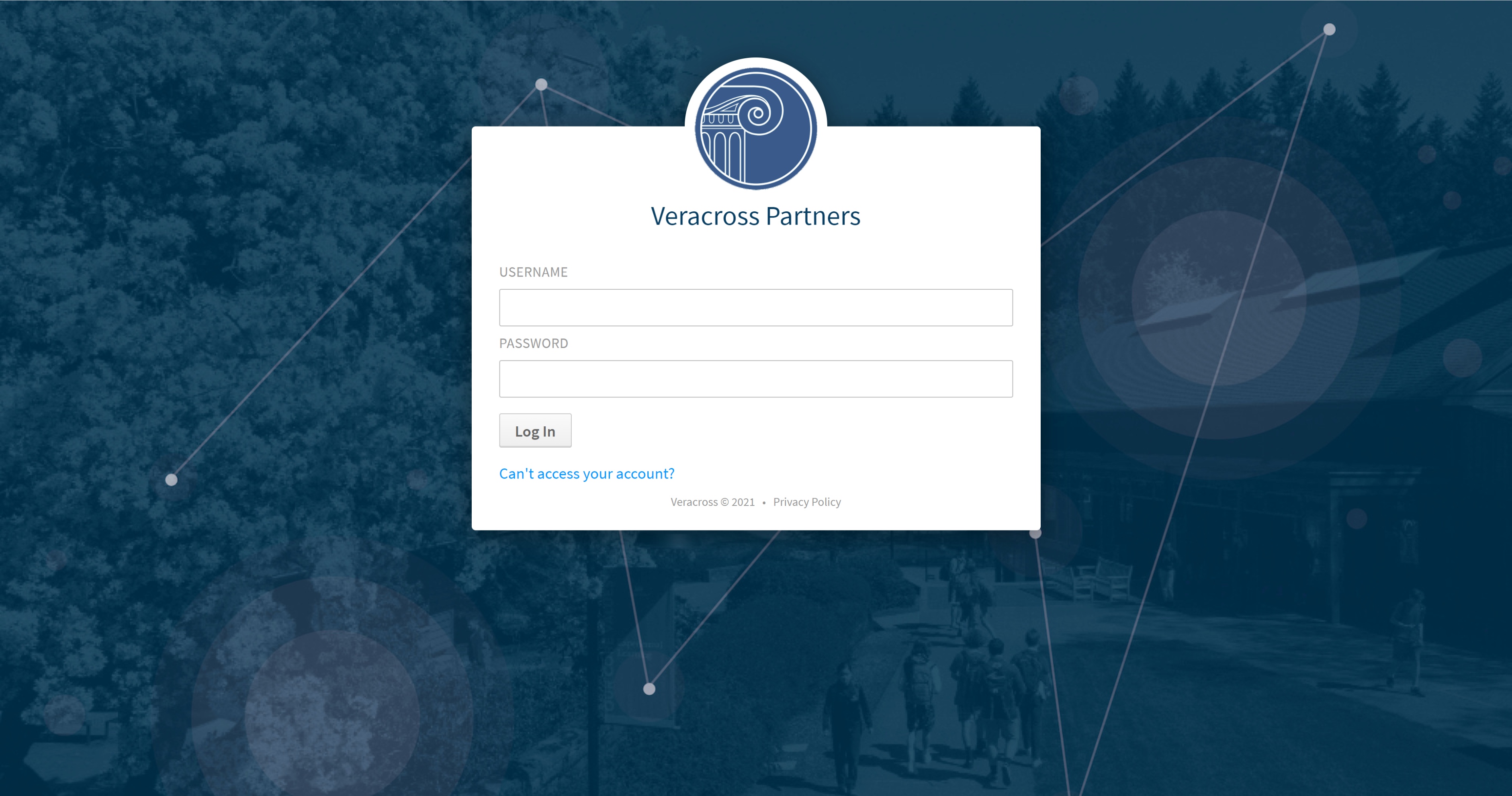
Log in to Axiom Identity & Access Management
Go to axiom.veracross.com and sign in with your school credentials.
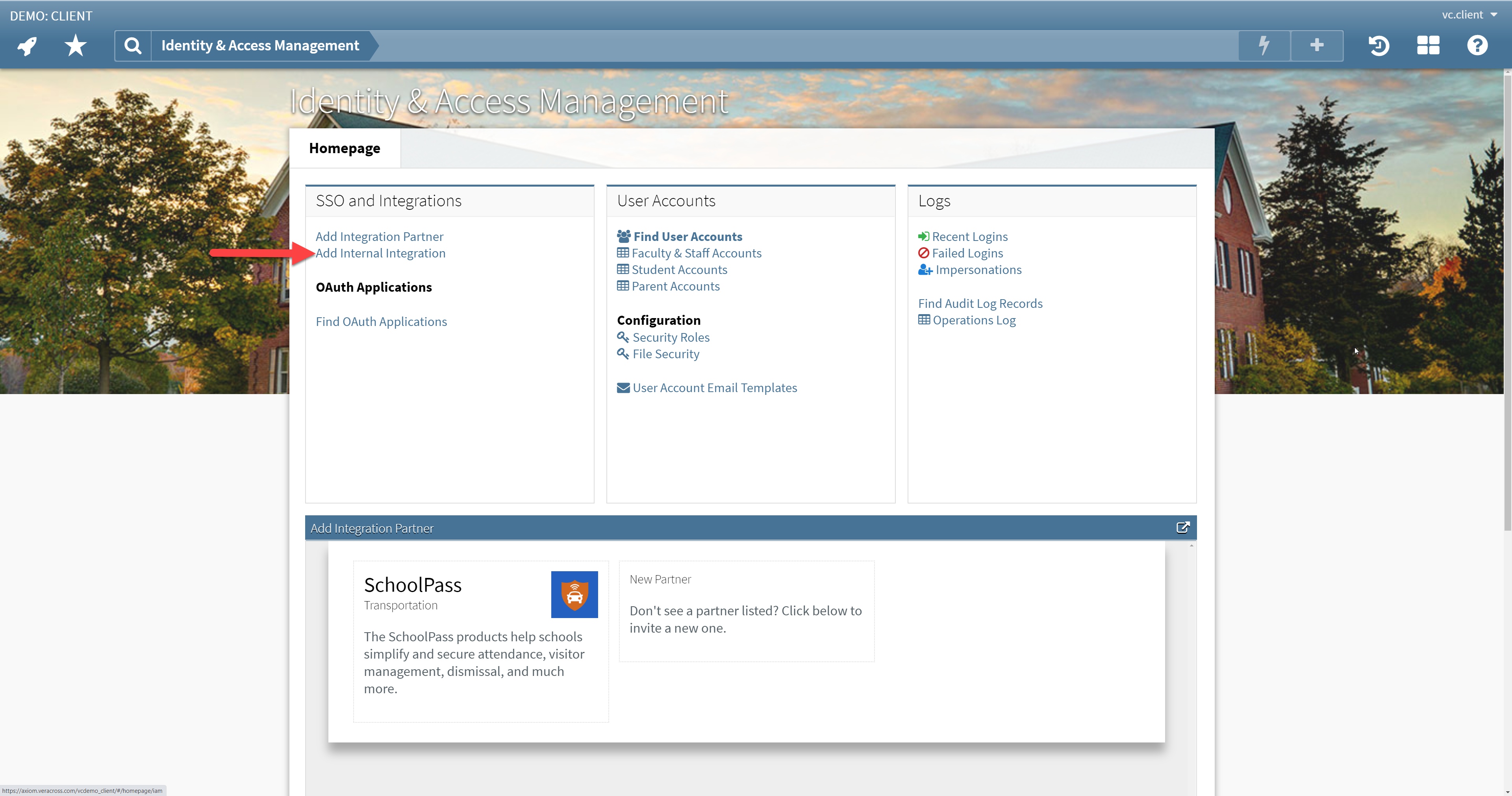
Add Integration Partner
Navigate to the OAuth Applications section and click "Add Integration Partner." Fill in the following fields:
- Description: Studiously Connect
- Contact Name: Howard Youngdahl
- Contact Email: howard@studiously.ai
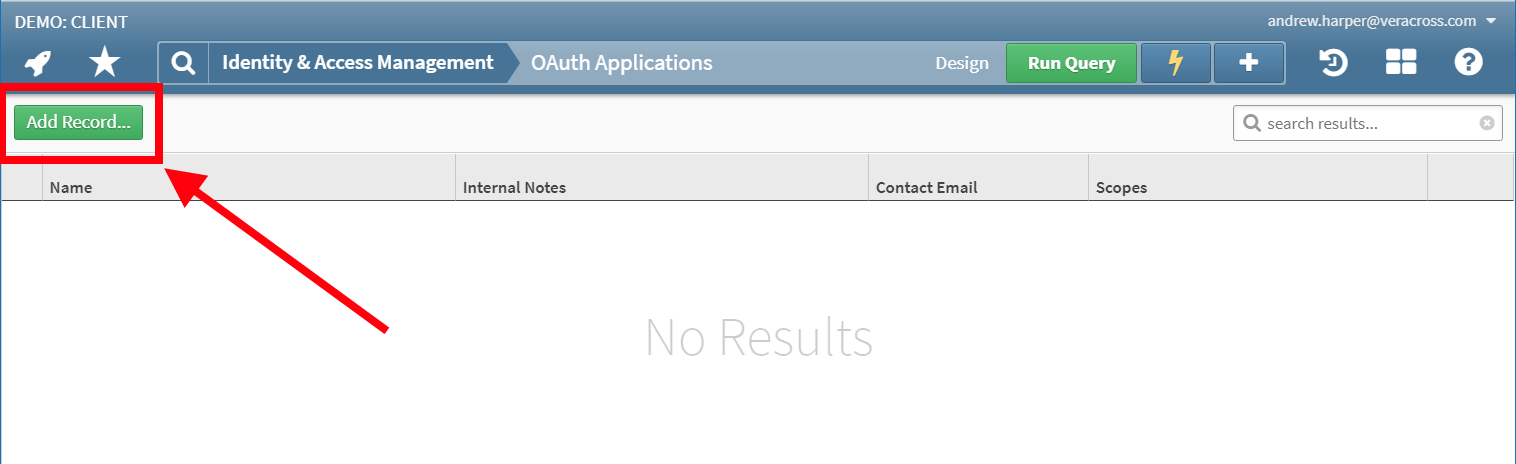
Start the integration
After saving the partner record, click the "Start Integration" link to generate the OAuth Application.
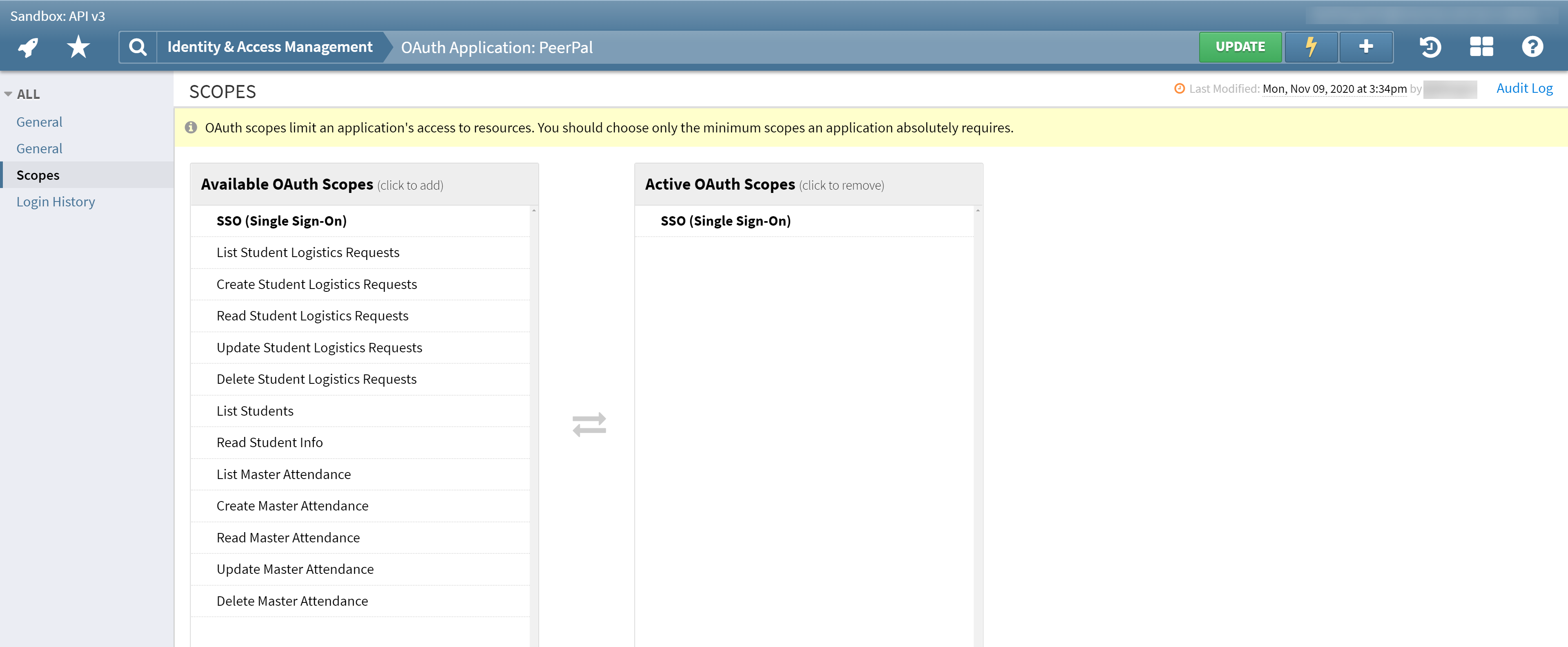
Set API scopes
Add the required scope development.constituents:list. This is the only scope needed for the core alumni import.
Studiously receives the invitation
Veracross sends an invitation email to our integration team. We access the Partner Portal to retrieve credentials and finalize the connection. No sensitive information is included in the email itself.
Email us to get started
Send a quick email to howard@studiously.ai from your school email address letting us know the integration partner has been created. Include:
- Your school name
- The name and email of anyone who should have admin access to Studiously
We'll set up your school on the platform, configure the Veracross connection, and send admin invitations so your team can log in and review the alumni directory.
Your admins are invited
Each admin receives an email invitation to Studiously. Once logged in, they can review imported alumni, configure platform settings, and invite students or alumni to start connecting.
Managing Your Data
Refreshing imported records
A Studiously super-admin can run another controlled import when the school wants to refresh roster information. The import pulls updated alumni records, adds new eligible alumni, and matches existing records by school and email. This is not a nightly background career-data sync.
Enriching profiles
The Veracross API provides name, email, graduation year, and location. To fill in company, role, college, and LinkedIn data, you have two options:
- CSV supplement: Export richer alumni data from Axiom (including fields the API does not expose like job title) and upload through the Studiously CSV import wizard. Records are matched by email.
- Data enhancement: Contact us to run enrichment on your alumni profiles, which classifies existing data into structured categories (industry, seniority, company type, location tags).
Exporting back to Veracross
Enriched alumni data can be exported from Studiously as a CSV for re-import into Veracross Axiom, keeping both systems up to date.
Filtering and privacy
- Records marked deceased are excluded during import
- Only records with an "Alumni" role are imported
- Admins can mark individual alumni as do-not-contact in Studiously
- Alumni email addresses are never shown to students
- Weekly email caps prevent over-contact